










The HP 15s series is a popular choice among students, professionals, and everyday laptop users. Known for its practical design and reliable performance, this laptop series is suitable for daily computing tasks, office work, online classes, browsing, and entertainment. However, like any frequently used laptop, its keyboard may develop problems over time.
A faulty keyboard can make even simple tasks frustrating. Keys may stop responding, certain characters may appear repeatedly, or the keyboard may become physically damaged due to regular usage, dust, or accidental liquid spills. In such situations, replacing the keyboard is often a practical solution.
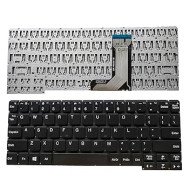
If you are searching for an HP 15s DU keyboard, HP 15s-EQ keyboard, HP 15s-FQ keyboard, or HP 15s-DY keyboard, choosing the correct replacement is important. Different HP 15s variants may use different keyboard layouts, connectors, mounting arrangements, or compatible part numbers.
In this guide, we will explain common keyboard problems, compatible model considerations, replacement options, buying tips, and factors that influence HP 15s keyboard prices.
Why Does Your HP 15s Laptop Keyboard Need Replacement?
A laptop keyboard experiences regular physical contact, making it one of the components most likely to develop wear-related issues.
Here are some common signs that your HP 15s keyboard may need replacement.
1. Some Keys Are Not Working
If specific keys stop responding even after restarting your laptop and checking the keyboard settings, there may be a hardware problem. Damaged key switches or internal keyboard circuits can cause this issue.
2. Keys Are Typing Automatically
Sometimes, a key may register repeatedly without being pressed. This can happen because of damaged keyboard contacts, moisture exposure, or debris trapped beneath the keys.
3. Physical Damage to Keyboard Keys
Laptop keys can become loose, broken, or detached due to regular use or accidental impact. Although individual keycaps may sometimes be repaired, a complete keyboard replacement may be necessary when the underlying mechanism is damaged.
4. Liquid Spillage
Accidental spills involving water, tea, coffee, or other liquids can damage the keyboard's internal circuits. Even if the keyboard initially continues working, problems may appear later due to corrosion.
5. Keyboard Not Responding Completely
If the entire keyboard stops working, the issue may be related to the keyboard connection, hardware, BIOS settings, or motherboard. Proper diagnosis is recommended before purchasing a replacement keyboard.
HP 15s Keyboard Compatible Models
The HP 15s family includes multiple configurations and model variations. Before ordering a replacement keyboard, identify your exact laptop model.
Some commonly searched HP 15s keyboard variants include:
HP 15s-DU series keyboard
HP 15s-EQ series keyboard
HP 15s-FQ series keyboard
HP 15s-DY series keyboard
HP 15s-FC series keyboard
HP 15s-GR series keyboard
HP 15s-FD series keyboard
These model families should not automatically be treated as interchangeable. A keyboard compatible with one HP 15s variant may not fit another.
HP 15s-DU Keyboard
The HP 15s-DU series includes multiple laptop configurations. If your keyboard has damaged keys or is no longer responding, look for a replacement specifically listed for your full laptop model.
Search variations include HP 15s DU keyboard and HP 15s-du keyboard replacement.
HP 15s-EQ Keyboard
The HP 15s-EQ series is another commonly searched variant. Before purchasing an HP 15s-EQ keyboard, verify its connector, layout, mounting points, and part number.
HP 15s-FQ Keyboard
If you own an HP 15s-FQ laptop, make sure the replacement listing specifically supports your device configuration. Search terms such as 15s-fq keyboard and HP 15s-FQ keyboard can help you find relevant replacement options.
HP 15s-DY Keyboard
The HP 15s-DY series also has different configurations. Check the full product model and original keyboard part number before ordering a replacement.
How to Find the Correct HP 15s Keyboard Model
One of the biggest mistakes buyers make is ordering a laptop keyboard based only on the HP 15s series name.
Follow these steps to identify the correct replacement.
Step 1: Check Your Laptop Model
Look at the product label on the bottom of your laptop. You may find the model name and product number printed there.
You can also check your laptop information using HP System Information or the BIOS.
Step 2: Identify the Product Number
HP laptops may have similar model names but different internal configurations. The complete product number helps narrow down compatible replacement components.
Step 3: Check the Original Keyboard Part Number
If possible, inspect the part number printed on the original keyboard. This is one of the most useful ways to identify a compatible replacement.
Step 4: Compare the Keyboard Layout
Before buying, compare the following:
Keyboard dimensions
Key arrangement
Number of keys
Ribbon cable position
Connector type
Mounting points
Backlit or non-backlit configuration
Step 5: Confirm Compatibility with the Seller
If you are unsure about compatibility, share your complete laptop model and product number with the seller before placing an order.
HP 15s Keyboard Price in India: What Affects the Cost?
The price of an HP 15s replacement keyboard can vary depending on the exact model and component specifications.
There is no single price applicable to every HP 15s keyboard. Several factors influence its cost.
1. Laptop Model
The price may differ between HP 15s-DU, EQ, FQ, DY, and other variants because their keyboard assemblies may have different specifications.
2. Backlit or Non-Backlit Keyboard
Some configurations support backlit keyboards, while others use standard non-backlit keyboards. The replacement must match the original laptop configuration.
3. Original or Compatible Replacement
The market offers different replacement options, including original service parts and compatible third-party components. Their pricing, quality, and warranty conditions may differ.
4. Product Condition
New, refurbished, and used keyboards may have different prices. Always check the product condition before purchasing.
5. Warranty and Seller Support
A keyboard supplied with a clear warranty and reliable seller support may offer additional peace of mind.
For an accurate price, check the current listing for your exact HP 15s keyboard model rather than relying on a generic price estimate.
Can You Replace an HP 15s Laptop Keyboard Yourself?
Keyboard replacement depends on the particular HP 15s model and its internal construction.
Some laptop keyboards are relatively straightforward to replace, while others require significant disassembly or replacement of a larger top-cover assembly.
If you have experience repairing laptops and access to the correct tools, you may be able to replace the keyboard yourself. However, professional installation is recommended if you are unfamiliar with laptop hardware.
A general replacement process may involve:
Shut down the laptop completely.
Disconnect the charger and external accessories.
Disconnect the internal battery before working on internal components.
Remove the necessary screws and components according to the model's service instructions.
Carefully disconnect the keyboard ribbon cable.
Remove the damaged keyboard or keyboard assembly.
Install the compatible replacement.
Reconnect the cable and battery.
Reassemble the laptop and test all keys.
Important: The exact procedure varies by model. Always follow the official HP maintenance and service instructions for your particular laptop. Incorrect disassembly can damage the ribbon connector, motherboard, or surrounding components.
How to Test Your New HP 15s Keyboard After Installation
Once the replacement keyboard has been installed, test it properly before regular use.
Check the following:
All alphabet keys are responding correctly.
Number keys and function keys are working.
Enter, Shift, Ctrl, Alt, and Backspace are functioning.
Arrow keys respond correctly.
Touchpad and other laptop functions remain unaffected.
Backlighting works if your model supports it.
No keys are typing automatically.
You can use a keyboard testing website or a simple text editor to check the keys.
If certain keys do not respond, inspect the keyboard ribbon connection and confirm that the replacement is compatible with your laptop.
Where to Buy an HP 15s Replacement Keyboard Online?
Buying laptop spare parts online can save time, especially when you already know the exact component you need.
However, it is important to choose a seller that provides clear product information, accurate compatibility details, and reliable customer support.
Before placing an order, consider these points:
Confirm the complete laptop model.
Compare the original keyboard part number.
Check product images and specifications.
Verify the product condition.
Review the warranty and return policy.
Confirm delivery and payment information.
You can explore laptop spare parts and replacement components on Flipvendo.
Visit Flipvendo to explore available computer hardware and laptop spare parts. Check the relevant product listing or contact the seller to confirm availability and compatibility before ordering.
Frequently Asked Questions (FAQs)
1. How much does an HP 15s laptop keyboard cost?
The price depends on the exact HP 15s model, keyboard configuration, product condition, and seller. Check the current listing for your specific keyboard to get an accurate price.
2. Are HP 15s-DU and HP 15s-EQ keyboards compatible?
Not necessarily. Different HP 15s variants may have different keyboard designs, connectors, and mounting arrangements. Always verify the complete model number and part number before purchasing.
3. How can I find my HP 15s laptop model number?
You can check the label on the bottom of your laptop or use HP System Information to identify the model and product number.
4. Can I replace only one damaged key on my HP 15s laptop?
In some cases, an individual keycap or its mechanism can be replaced. However, if the underlying switch or keyboard circuit is damaged, a complete keyboard replacement may be required.
5. How long does it take to replace an HP 15s keyboard?
The installation time depends on the laptop's internal design and whether the keyboard is a separate component or part of a larger assembly. A professional technician can estimate the time after inspecting the model.
6. Should I buy an original or compatible HP 15s keyboard?
Both options may be available. Compare compatibility, product quality, warranty, and seller reliability before making a decision.
7. Does every HP 15s laptop have a backlit keyboard?
No. Backlit keyboard availability depends on the specific laptop configuration. Check your original keyboard and product specifications before purchasing a replacement.
Final Thoughts
A damaged keyboard does not necessarily mean you need to replace your entire laptop. Choosing the correct replacement keyboard can help restore your HP 15s laptop's typing functionality and extend its useful life.
Whether you are looking for an HP 15s-DU keyboard, HP 15s-EQ keyboard, HP 15s-FQ keyboard, or HP 15s-DY keyboard, always verify the exact model, part number, connector, and layout before placing an order.
For laptop spare parts and computer hardware, explore the available options on Flipvendo and make an informed purchasing decision based on your device's requirements.
Leave a Comment